01 / 03
Not a medical device
The Sidekick™ is not designed to diagnose, treat, or cure a condition. If you can walk and want it to feel easier, the Sidekick is can help you do more of it.


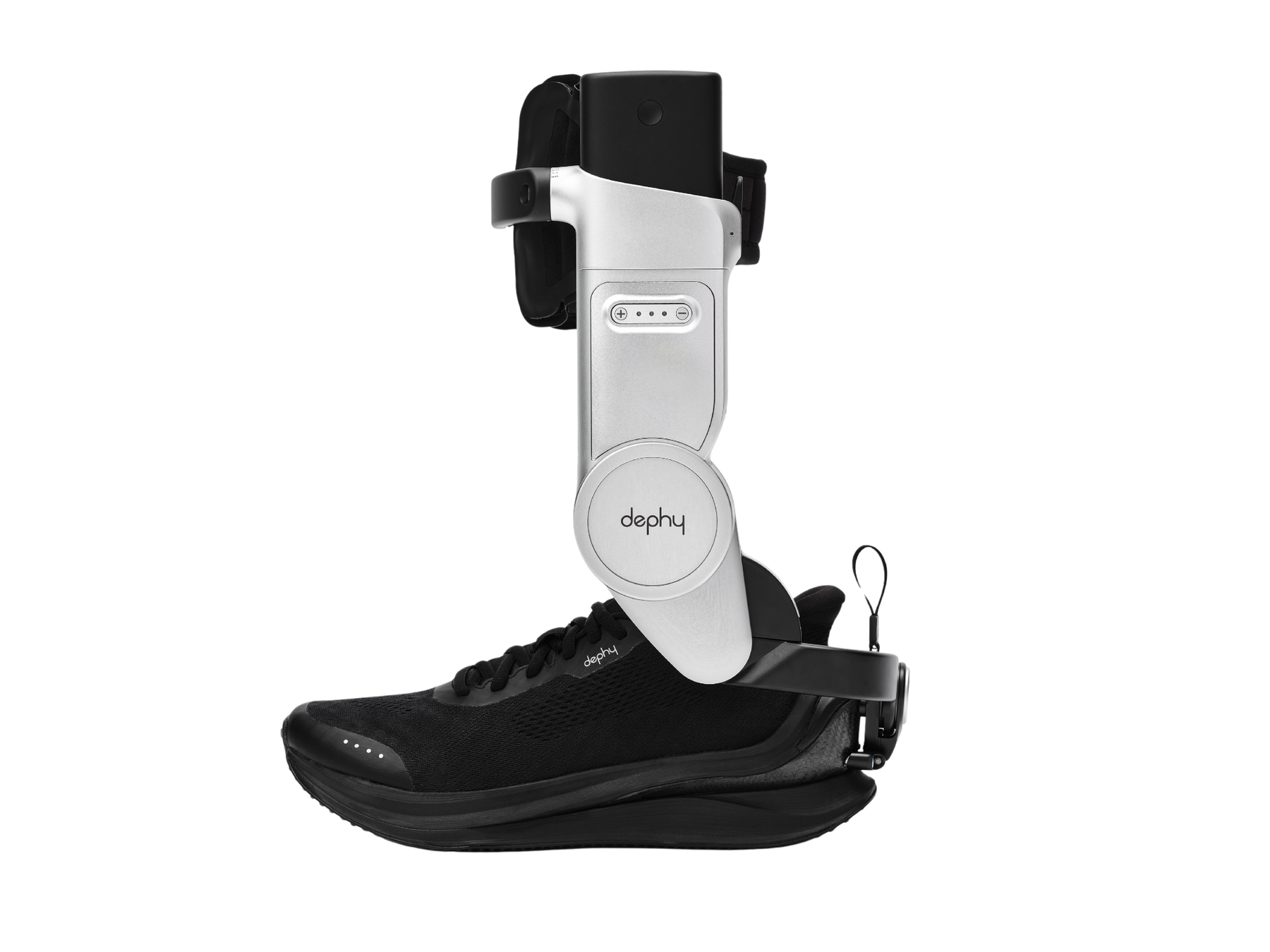
Adaptive controls, integrated sensors and a brushless motor combine to add a subtle boost as you push-off with each step. Like a second calf muscle, the Dephy Sidekick™ helps you move farther with less effort while keeping your stride natural.
Watch the Sidekick ™ in Motion

At the exact moment your foot pushes off the ground, the Sidekick™ system delivers a gentle boost, reducing the effort your body has to produce on its own.
When walking gets hard, everything above starts compensating. Your knee works harder. Your hip flexors pick up the slack. Fatigue and discomfort - often in places that have nothing to do with your foot or ankle - happen from a walk you've always done, a day on your feet, or years of managing a condition.
When the calf gets support, the knee doesn't have to overwork. When the knee isn't overworking, the hip doesn't compensate. The whole chain above relaxes.
The Sidekick™ delivers powered support at the back of the heel at exactly the right moment. The assistance feels like a natural extension of your own movement, working with you, not against you.
That's why Sidekick™ users report feeling the difference not just in their feet but in their knees, hips, back, shoulders, posture and how they feel at the end of the day.
Advanced technology, premium materials, carefully distilled into a streamlined, comfortable wear experience.
THE CURRENT ECOSYSTEM
If you've seen exoskeletons or support devices before, most of them target the hip or knee. That makes sense on the surface; those are the joints where a lot of people feel discomfort or fatigue radiating from.
WHERE WALKING ACTUALLY HAPPENS
But the ankle is where walking actually happens. In a typical stride, the ankle generates more than half of the forward energy that moves your body ahead - it's the engine. Which means if you want walking to feel easier, whether the challenge is in your hips, knees, ankle, or just your legs feeling worn out too quickly, the most effective place to deliver support is at the source of that energy.
A NATURAL ATTACHMENT POINT
Above all, the ankle is the most natural place to do it. The Sidekick™ robot attaches to compatible standard footwear at your heel and straps to your shin. These two places on your body are built to handle force, so assistance feels like part of your stride, not something added on top of it.
WHO IT WORKS FOR
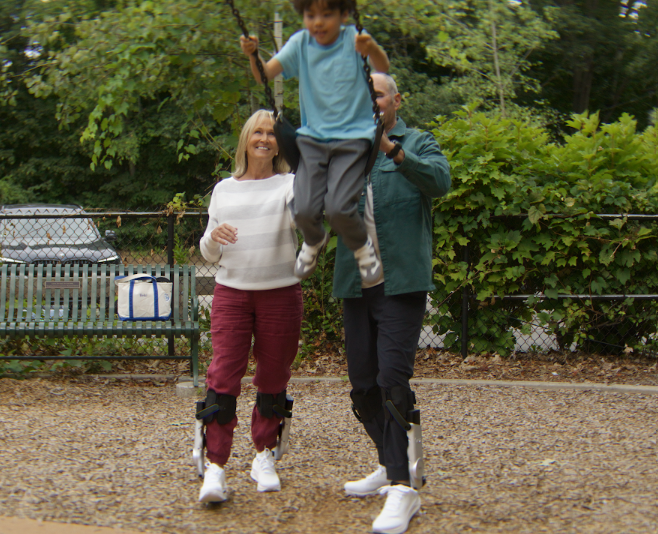
That's why ankle assistance works for such a wide range of people. You don't have to have an ankle or foot problem to benefit. People with knee or hip fatigue are well suited for the Sidekick™ system. If walking takes more out of your legs, and your day, than it should, the Sidekick™ is for you.
The Sidekick™ is a wellness product, not a treatment and built to keep people moving.
The Sidekick™ is not designed to diagnose, treat, or cure a condition. If you can walk and want it to feel easier, the Sidekick is can help you do more of it.
The Sidekick™ works with your gait, not instead of it. It won't walk for you which means you're always in control of when and how you walk. It delivers personalized assistance to your muscles, stride, and pace.
If you're looking for a clinical intervention or rehabilitation device, please speak with a clinician first. The Sidekick is built for people who are active, or want to be.
The Sidekick™ is not designed to diagnose, treat, or cure a condition. If you can walk and want it to feel easier, the Sidekick is can help you do more of it.
The Sidekick™ works with your gait, not instead of it. It won't walk for you which means you're always in control of when and how you walk. It delivers personalized assistance to your muscles, stride, and pace.
If you're looking for a clinical intervention or rehabilitation device, please speak with a clinician first. The Sidekick is built for people who are active, or want to be.
Swipe to explore
How you use the Sidekick™ to support your movement can vary, but the thing that unites every Sidekick user? They all wanted a product that delivers everyday mobility support to help them stay active in their daily life.
Choose the amount of support that feels right for your day.
Quick to get started every time, with no app or complicated setup.
Real-world range depends on power level, pace, and terrain.
Certified by TuV Rheinland. Built to a rigorous safety benchmark used for assistive devices worldwide.
Updating 1000x a second to read and respond to how you're moving.
When under power, the Sidekick feels invisible in your stride.
Choose the amount of support that feels right for your day.
Quick to get started every time, with no app or complicated setup.
Real-world range depends on power level, pace, and terrain.
Certified by TuV Rheinland. Built to a rigorous safety benchmark used for assistive devices worldwide.
Updating 1000x a second to read and respond to how you're moving.
When under power, the Sidekick feels invisible in your stride.
Swipe to explore
Subtle. Smooth. Well timed. The Sidekick™ is designed to feel like a little extra momentum arriving exactly when you need it. Most people describe it like their heel is being lifted up as they push off for each step. When the Sidekick is working best with your body, it feels invisible and you feel just like yourself.
No. You still need to be able to walk on your own. The Sidekick™ adds support at the exact right moment in your stride so walking feels easier.
The Sidekick™ system, batteries, and charger were designed to international standards for safe use by consumers in the home, ensuring that you are always in control of your walking experience.
No. It is designed to be simple, with no app required and no complicated set up or calibration.
Yes. The experience is intentionally simple. Put on the Sidekick™, power on, and walk naturally for about 20 strides on flat ground. In less than 2 minutes, the system learns how you walk. You can immediately adjust your support level by powering up or down across three easy-to-understand boost levels.
It is designed to adapt to your stride, not force you into a robotic walking pattern.
Subtle. Smooth. Well timed. The Sidekick™ is designed to feel like a little extra momentum arriving exactly when you need it. Most people describe it like their heel is being lifted up as they push off for each step. When the Sidekick is working best with your body, it feels invisible and you feel just like yourself.
No. You still need to be able to walk on your own. The Sidekick™ adds support at the exact right moment in your stride so walking feels easier.
The Sidekick™ system, batteries, and charger were designed to international standards for safe use by consumers in the home, ensuring that you are always in control of your walking experience.
No. It is designed to be simple, with no app required and no complicated set up or calibration.
Yes. The experience is intentionally simple. Put on the Sidekick™, power on, and walk naturally for about 20 strides on flat ground. In less than 2 minutes, the system learns how you walk. You can immediately adjust your support level by powering up or down across three easy-to-understand boost levels.
It is designed to adapt to your stride, not force you into a robotic walking pattern.
Swipe through questions
Have more questions?
Best Practices